The Trading Journal That
Shows You Which Setups Pay
Journal every trade, backtest on the chart, and let the AI coach show you in your own numbers which setups, hours and confluences make money and which hand it back. Built for forex, indices, and funded accounts.
- Free plan, no card required
- MT4/MT5 auto-import
- Built for prop firm rules
What Traders Tell Us
Real messages from users, shared with permission.
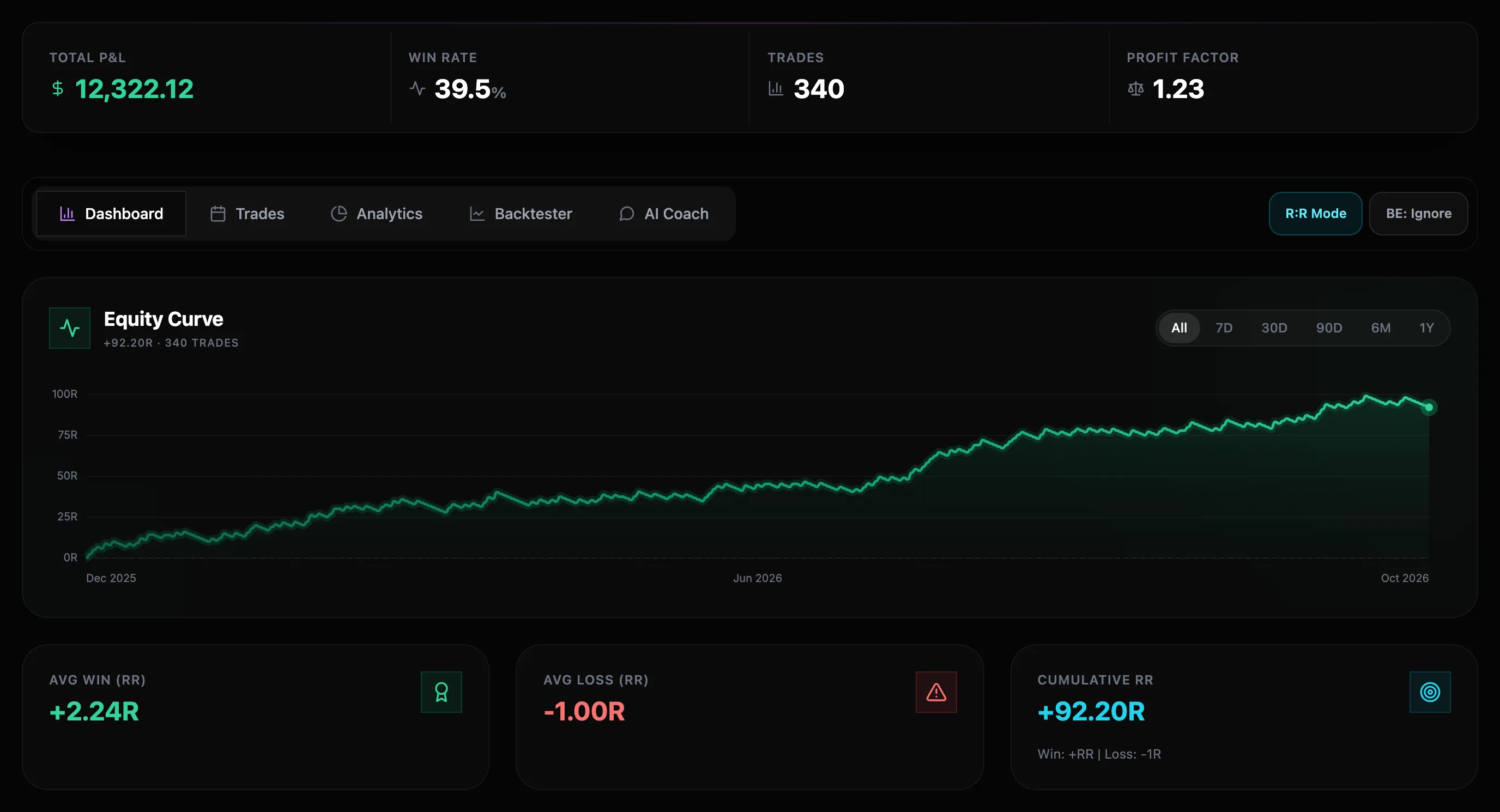
Trading Analytics That Tell You What to Change
Real screens from the journal, run on 340 sample trades. Yours fills in the same way from your own history.
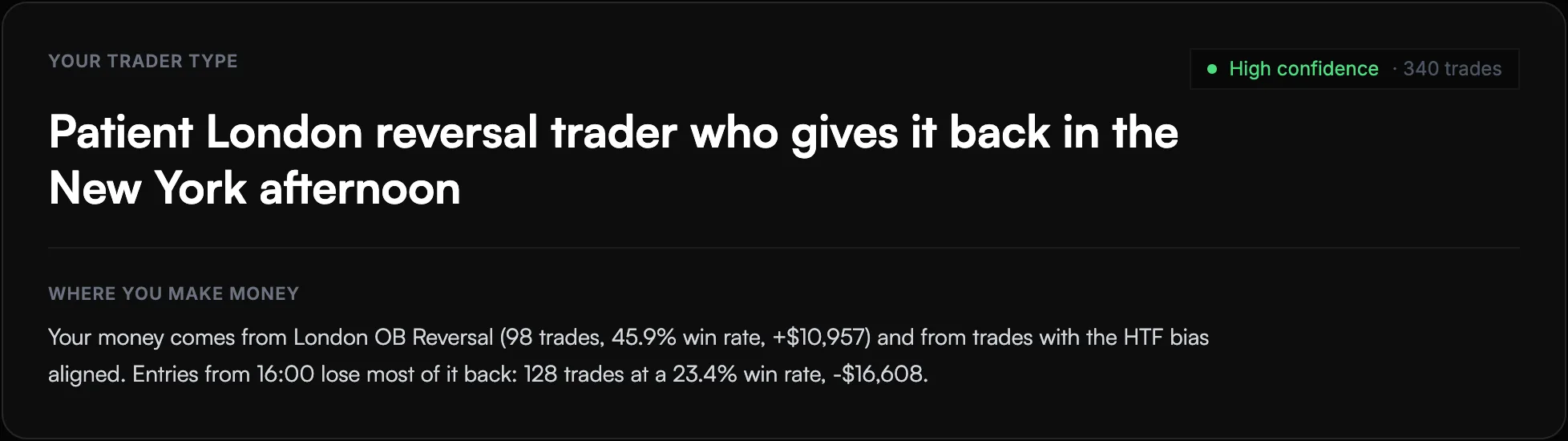
Find out what kind of trader you really are
Every week the coach reads your trades and sums up your pattern in one line, then shows where the money comes from and where it leaks.
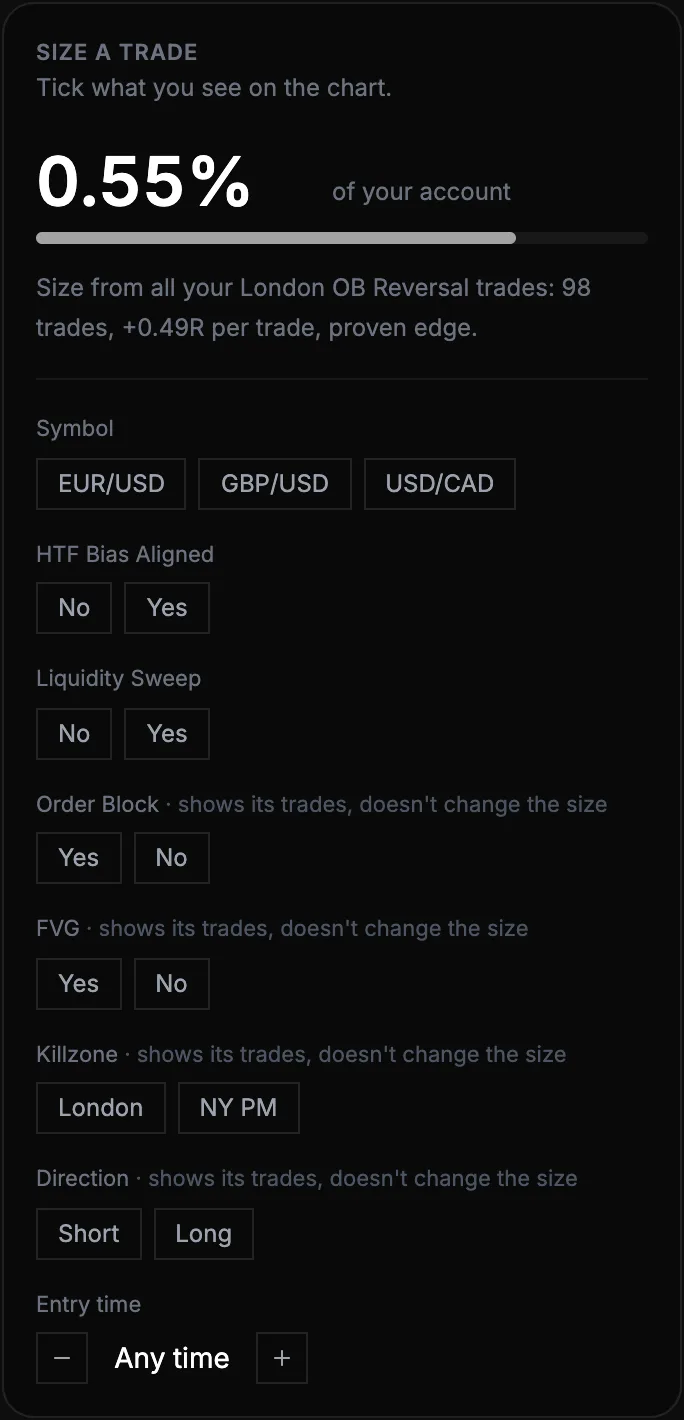
Know how much to risk before you enter
Tick what you see on the chart and get a size for that exact setup, built from your own results and capped so a losing run stays inside your drawdown.
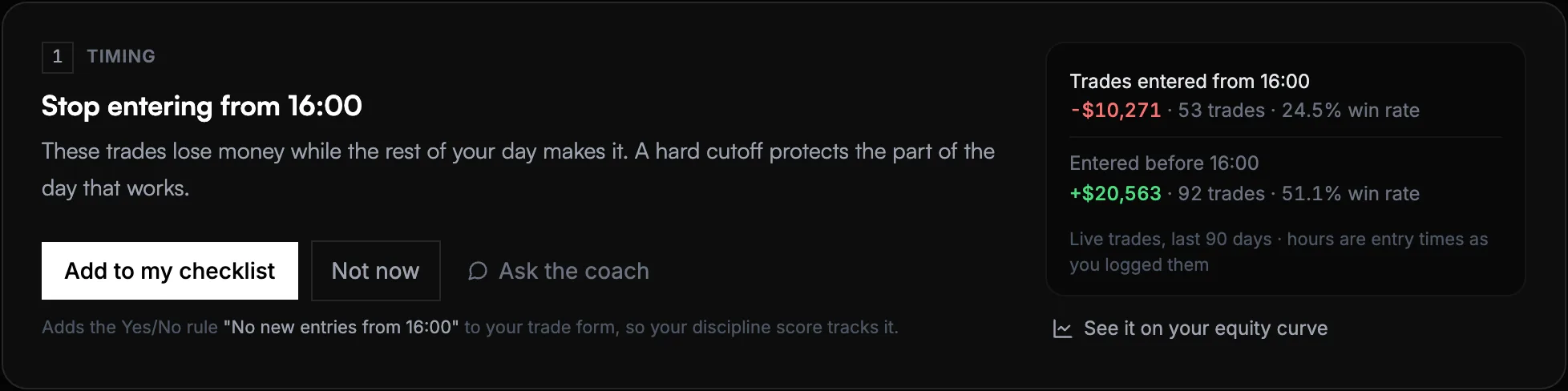
One change worth making this week
The coach finds the hour, day or setup that costs you money, puts the numbers side by side, and adds the rule to your checklist in one click.
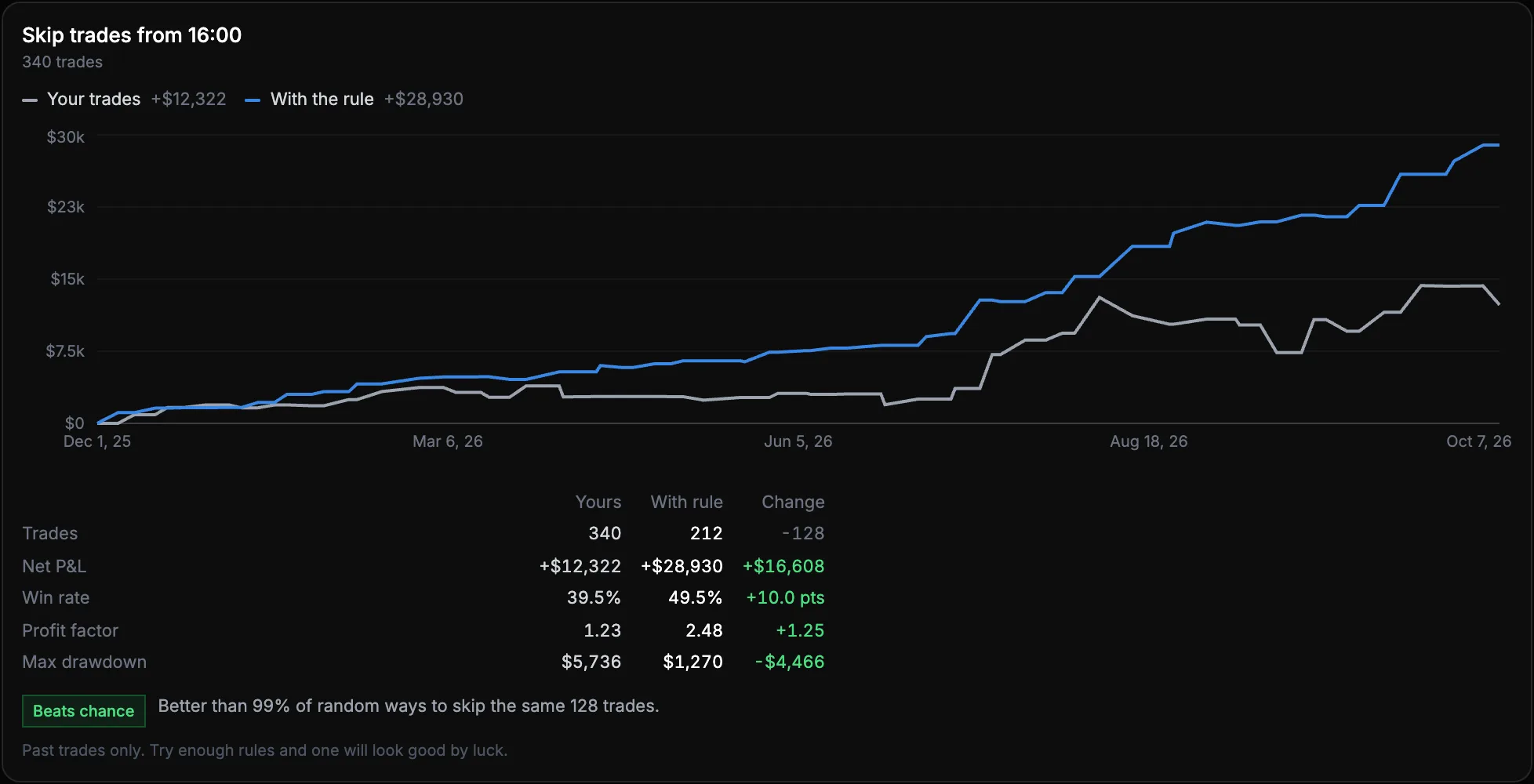
Test a rule before you trade it
Replay your history as if you had followed it. On the sample journal, no new entries from 16:00 turns +$12,322 into +$28,930, and the chance check says whether that beats luck.
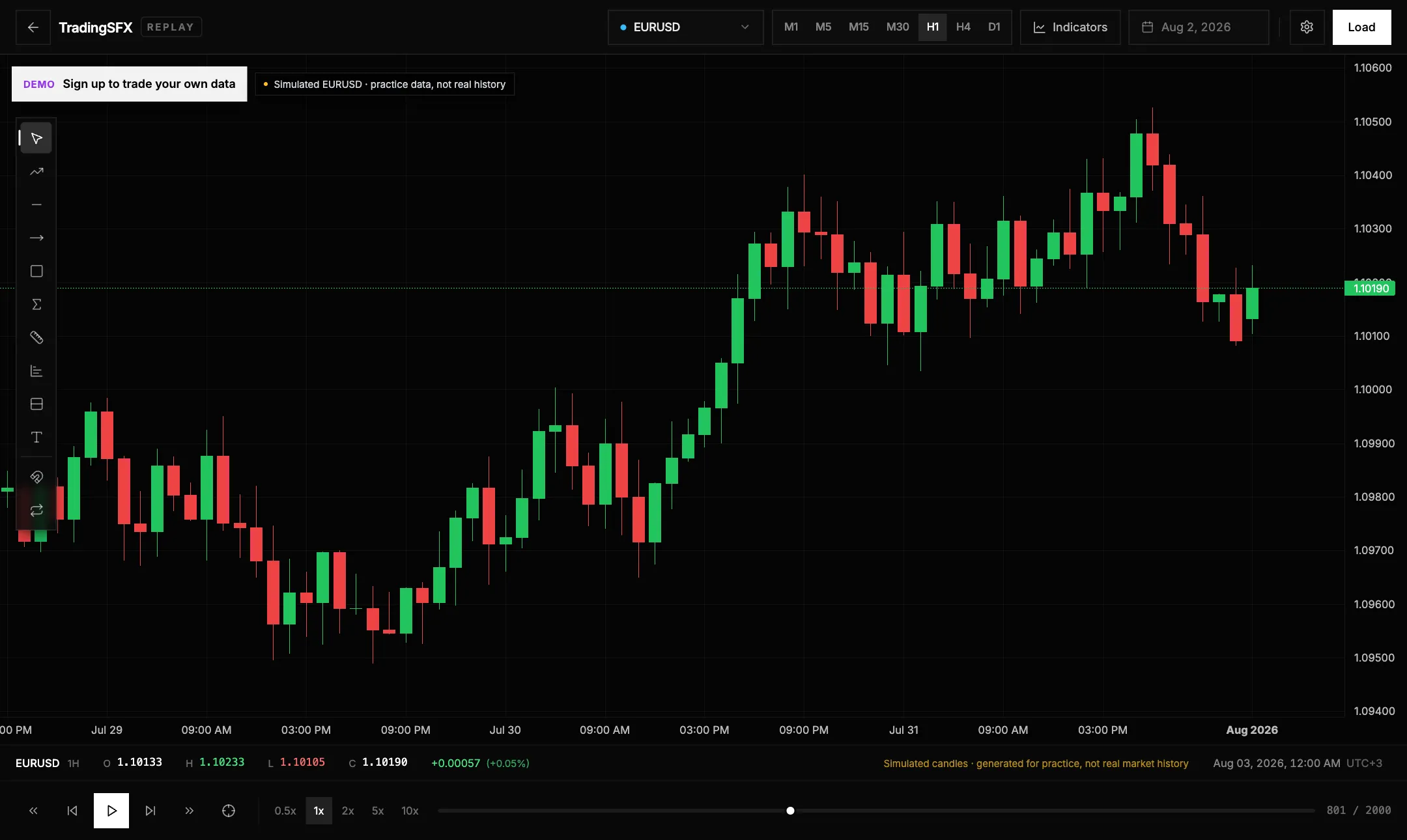
Dozens of practice trades in an afternoon
Live trading gives you around ten trades a month. Replay the chart bar by bar, tag each practice trade with your confluences, and build a real sample in one sitting.
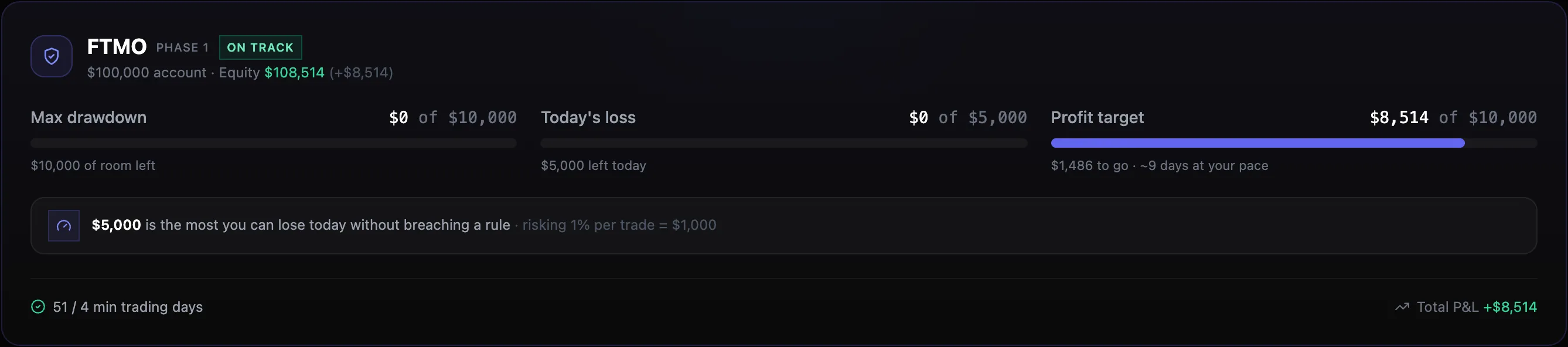
See how much you can lose today without breaching
Load your firm's rules in one click. Drawdown headroom, today's limit and your pace to the target update with every trade, with a warning before you get close.
A verdict after every trade
Log a trade and the coach names the rule you broke, or tells you the loss was just variance. It remembers, so it can say third time this month.
Your MT4/MT5 trades import themselves
Closed trades sync automatically. Read-only: it never places orders and never asks for your trading password.
Bring your history in without retyping
Import a CSV from any broker with the columns and your confluences mapped for you, or drop a chart screenshot on Pro and the trade form fills itself.
How TradingSFX Works
Three steps to finding your trading edge
- 1
Log Your Trades
Add trades manually, import a CSV, or let MetaTrader sync closed trades automatically. Include strategy, confluences, notes, and chart screenshots.
- 2
Analyze Performance
Cross-filter by symbol, strategy, day, hour, and confluence. See equity curves, heatmaps, and breakeven win rates instantly.
- 3
Get AI Insights
Your AI coach reads the data: which setups pay, when you overtrade, and where your real edge is.
Why Traders Switch to TradingSFX
Most trading journals track trades. TradingSFX tells you which trades to take.
Frequently Asked Questions
Is TradingSFX free?
Yes. The Basic plan is free forever with core journaling, equity curve tracking, and a risk calculator. No credit card, no time limit.
Does it work for prop firm and funded accounts?
Yes. Pick your firm and account size from ready-made presets for FTMO, FundedNext, FundingPips, The Funded Trader, E8 Markets, TopStep, and Apex Trader Funding. The dashboard shows live drawdown headroom and daily P&L so you never breach a rule by accident.
What does the AI coach actually do?
It reads your real trade history, gives you a short verdict after every trade you log, and builds a weekly profile of your strengths, weaknesses, and the rules you keep breaking. You can also chat with it about your own data.
Does TradingSFX import trades from MetaTrader?
Yes. Connect MetaTrader 4 or 5 once and your closed trades sync into the journal automatically. It is strictly read-only: it never places orders and never asks for your trading password. Broker symbols are mapped automatically. Available on PRO and PREMIUM.
Does TradingSFX have a backtester?
Yes. The chart replay backtester replays historical price action bar by bar: step at your own speed, draw on the chart, and take practice trades that never touch your live stats. It is on every plan, including the free one, and you bring your own candle data. Saving a practice trade into your journal is part of PRO; on the free plan your last 10 are held for 30 days and we offer to move them in if you upgrade. You can see how it works in the demo without an account.
What markets can I journal?
Forex pairs, indices like NAS100, US30, and DAX40, and crypto including BTC, ETH, and SOL. Any broker or exchange, retail or funded account.
Can I import my existing trades?
Yes. Upload a CSV from your broker or spreadsheet, and the importer auto-suggests the column mapping, including your custom confluences.
Ready to Find Your Edge?
Join traders who use data, not emotion, to make decisions. Start journaling free today.